

Barcode scanning is the point where inventory software stops being a spreadsheet with extra steps. Receiving, picking, counting and selling all get faster and far less error-prone when a scan replaces typing. This guide covers what to check before you choose a system.
Start with the hardware you will actually use
- USB and Bluetooth scanners — most behave like a keyboard: they “type” the barcode into whatever field has focus. Any web-based inventory system that has a scan field works with them, with no drivers.
- Phone and tablet cameras — handy for occasional counts and small stores; slower than a dedicated scanner for high volume.
- Label printers — if your products don’t already carry barcodes, you need to generate and print your own labels. Check that the software can create barcodes for your items.
Features that matter
- Scan-first workflows — receiving, stock counts and sales should all accept a scan, not just product search.
- Multi-warehouse stock — separate stock levels per location, with transfers between them that are tracked, not just two manual adjustments.
- Purchasing — purchase orders, suppliers and receiving against the order, so you know what is on the way.
- Lots and expiry — essential for food, cosmetics and anything perishable.
- Point of sale — if you sell in a shop, a POS on the same stock data removes the nightly reconciliation.
- Reports and reordering — low-stock alerts, slow movers, and reorder suggestions based on actual sales.
Cloud subscription or self-hosted?
Cloud inventory tools are quick to start, but pricing often scales with locations, registers or users — exactly the things that grow as the business does. Self-hosted software is a one-time purchase you run on your own server: no per-terminal fees, your product and sales data stay with you, and the code can be adapted to how your warehouse actually works. The trade-off is that you are responsible for hosting, updates and backups.
A practical rule: if you have one shop and simple stock, a basic cloud tool may be enough. If you run several locations, a warehouse plus a shop, or you need custom workflows, owning the software usually pays for itself.
Questions to ask before you buy
- Can you test scanning in the live demo with your own scanner?
- Does stock update in real time across locations and the POS?
- Can you import your existing product list and opening stock from a spreadsheet?
- Are there fees per location, register or user?
- Does it work offline at the till if the connection drops?
A self-hosted option on AppTrovo
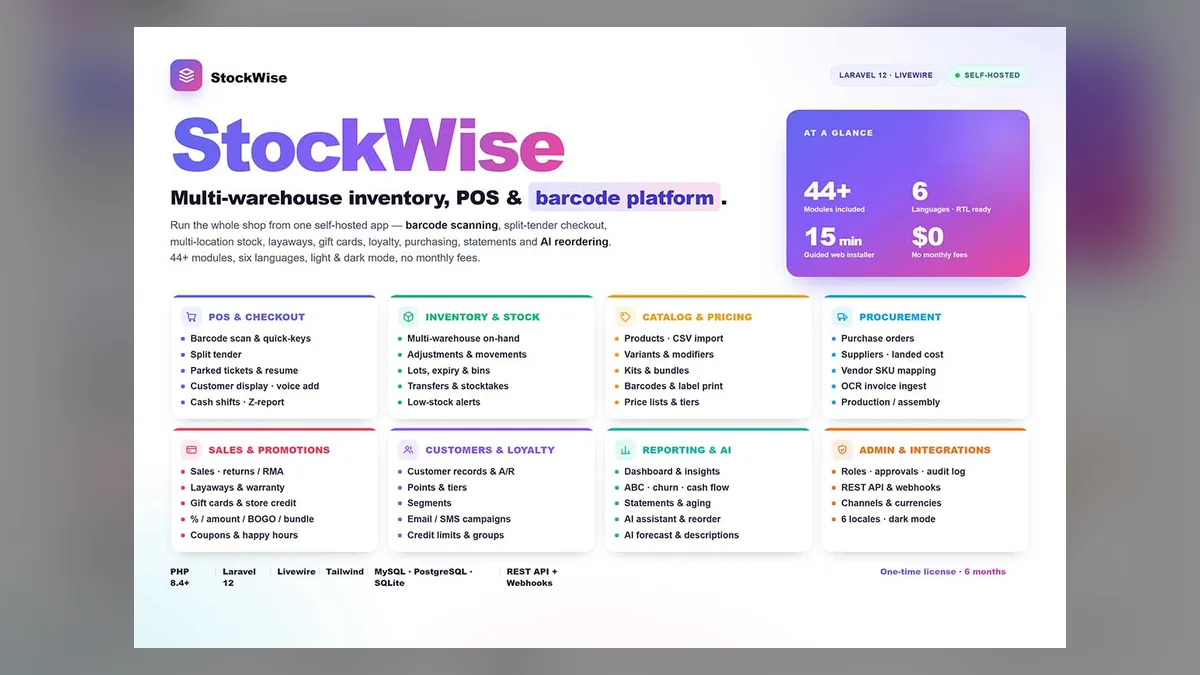
StockWise — Multi-Warehouse Inventory with Barcode Scanning covers the operational core of a small-to-mid-size retailer or wholesaler: barcode scanning, multi-warehouse stock, transfers, purchase orders, suppliers, lots and expiry, a point of sale and stock reports. It is self-hosted on a one-time license, with no monthly or per-terminal fees. Read the full StockWise tour or browse the Inventory category.