

A school management system (SMS) — also called a student information system or school ERP — replaces the registers, fee ledgers and spreadsheets that run a school’s day. Choosing one is a long-term decision: student records accumulate for years, and switching later is painful. This guide covers what to evaluate and how self-hosted systems compare with SaaS.
Core modules to expect
- Admissions and student records — enrolment, guardians, documents and a full history per student.
- Attendance — daily or per-period, with alerts to parents.
- Fees — fee structures, invoices, concessions, payments and outstanding balances.
- Exams and grading — assessments, mark entry, report cards and transcripts.
- Timetables — classes, teachers and rooms without double-booking.
- Parent and student portals — attendance, grades, fees and announcements without phone calls.
- Staff and payroll — useful for smaller schools that don’t run a separate HR system.
- Roles and permissions — teachers, accountants, administrators, parents and students each see only what they should.
Newer systems add AI features such as grading assistance. Treat these as a bonus: the basics above are what staff use every day.
Student data privacy
A school management system holds data about children: names, addresses, health notes, grades and family details. Before choosing, find out where the data is stored, who can access it, and how backups and deletions work. Depending on your country, regulations such as GDPR may apply. Self-hosting lets you keep student records on infrastructure you control — but then security, backups and updates are your responsibility, so make sure someone owns them.
SaaS or self-hosted?
- SaaS is usually priced per student per year. It is quick to start and the vendor runs the servers, but the cost rises with enrolment and continues every year, and customisation is limited to what the vendor offers.
- Self-hosted software is bought once and run on your own server or hosting. There are no per-student fees, the data stays with the school, and a developer can adapt it to local grading schemes, fee rules or languages. You need IT support — in-house or a local partner — for setup and maintenance.
For a school with stable or growing enrolment and access to a developer, owning the system is typically far cheaper over five years. For a very small school with no IT support at all, a hosted service may be simpler.
Evaluation checklist
- Walk through a live demo as each role: administrator, teacher, accountant, parent.
- Check that your grading scheme, fee structure and academic calendar can be configured.
- Ask how student data can be exported if you ever switch systems.
- Confirm the languages your staff and parents need.
- Check the hosting requirements and who will install and update it.
- Ask what the license covers — one school, or a group of campuses.
A self-hosted option on AppTrovo
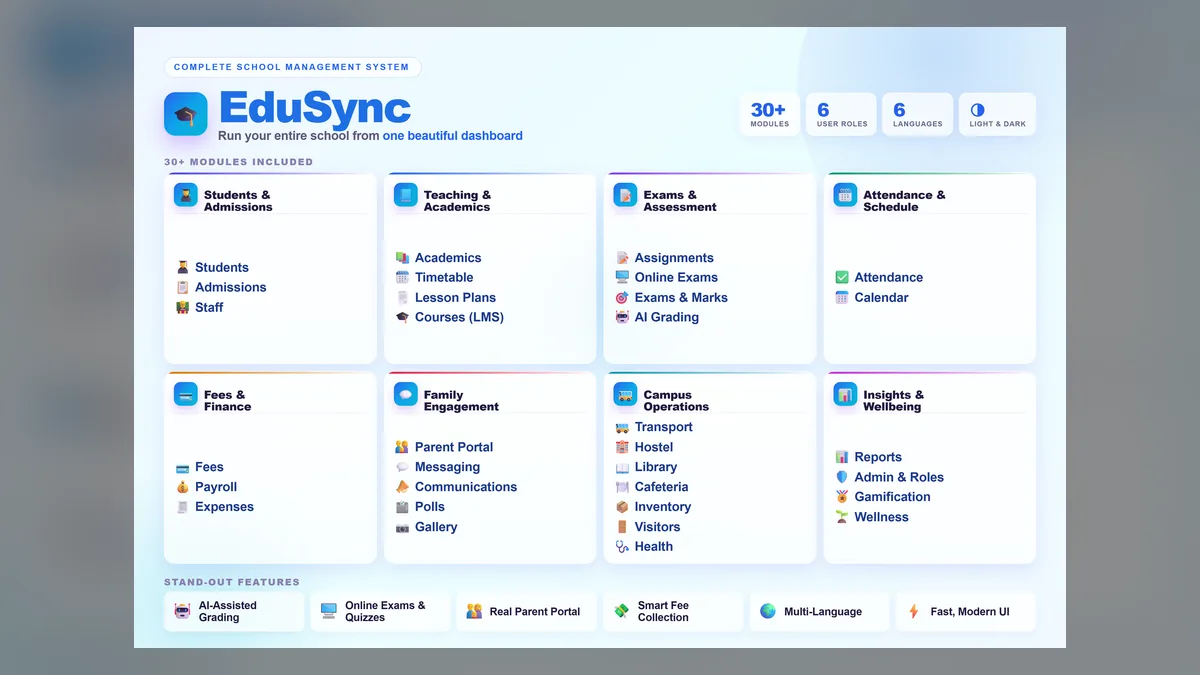
EduSync — Complete School Management System covers students, attendance, fees, exams, timetables, AI grading, a parent portal, payroll and more, with role-based access. It is built on Laravel and sold on a one-time license with full source code. Take the full EduSync tour or browse School & University ERP.