

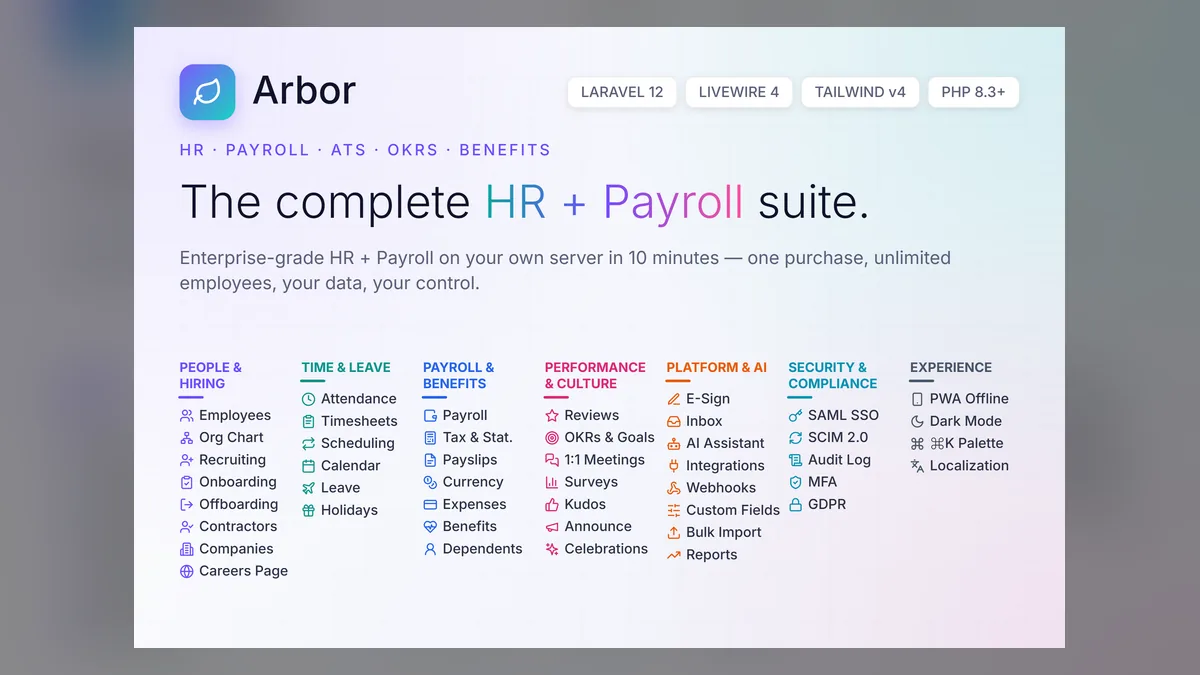
Most small businesses start HR on spreadsheets and payroll with an accountant. Somewhere between ten and fifty employees that stops working: leave requests get lost, overtime is calculated by hand, and onboarding a new hire means copying the same details into four places. This guide walks through what to look for in HR and payroll software, and when owning the software instead of renting it is the better deal.
The modules a small business actually needs
- Employee records — one profile per person with contract details, documents, emergency contacts and history.
- Leave and attendance — requests, approvals, balances and clock-in data that feed straight into payroll.
- Payroll runs — salary components, allowances, deductions, payslips, and an audit trail of every run.
- Recruitment — job postings, applicants and interview stages, so hiring isn’t run from an inbox.
- Performance — goals and reviews, even if you only do them once a year.
- Self-service — employees check payslips and leave balances themselves instead of asking HR.
Anything beyond this list (learning management, complex workforce planning) is usually a later problem. Buy for the next two years, not the next ten.
SaaS or self-hosted?
Most HR and payroll tools are sold as SaaS with a monthly fee per employee. That is easy to start with and someone else runs the servers. The trade-offs show up over time:
- Cost grows with headcount. A per-employee price is small for five people and significant for fifty, every month, for as long as you use it.
- Your data lives in someone else’s system. Salaries, IDs and bank details are some of the most sensitive data a business holds.
- You adapt to the product. Custom allowances, local rules or an unusual approval chain may simply not be supported.
Self-hosted software flips those trade-offs: you pay once, run it on your own server or hosting, keep the data, and can change the code. In exchange, you (or your developer) handle installation, updates and backups.
A simple cost check
Take the per-employee monthly price of the SaaS tools you are considering, multiply by your expected headcount and by 36 months. Compare that with a one-time license plus a few hours of setup and a modest hosting bill. For a stable team, the three-year SaaS total is often many times the self-hosted cost; for a team that may shrink to two people next year, SaaS flexibility can be worth it.
Payroll compliance: the part to take seriously
Payroll rules — tax tables, social contributions, filing formats — differ by country and change regularly. Before buying any tool, check:
- Can salary components, deductions and tax rules be configured for your country?
- Who updates them when the law changes — the vendor, or you?
- Can you export what your accountant or tax authority needs?
With self-hosted software you control the configuration, which is flexible but also your responsibility. Many small businesses keep their accountant in the loop for statutory filings and use the software for everything up to the payslip.
Questions to ask before you buy
- Is there a live demo you can click through with realistic data?
- What does the license allow — one company, or several?
- Are there per-user or per-employee fees on top of the license?
- How are updates delivered, and for how long?
- What server or hosting does it need?
- Can employees use it comfortably on a phone?
Self-hosted options on AppTrovo
- Arbor — The Complete HR + Payroll Suite: a self-hosted HRMS with 40+ modules, including payroll runs, leave, attendance, recruitment and performance. A good fit if HR and payroll are the main problem you are solving.
- Stintar — Project Management with HRM and CRM: combines projects, tasks, HRM, payroll, CRM and sales in one app. A good fit for service businesses that want HR alongside the work itself.
Both are sold on a one-time license with full source code and no per-employee fees. Browse more in HR & Payroll.