Will Keel run on cheap shared hosting?
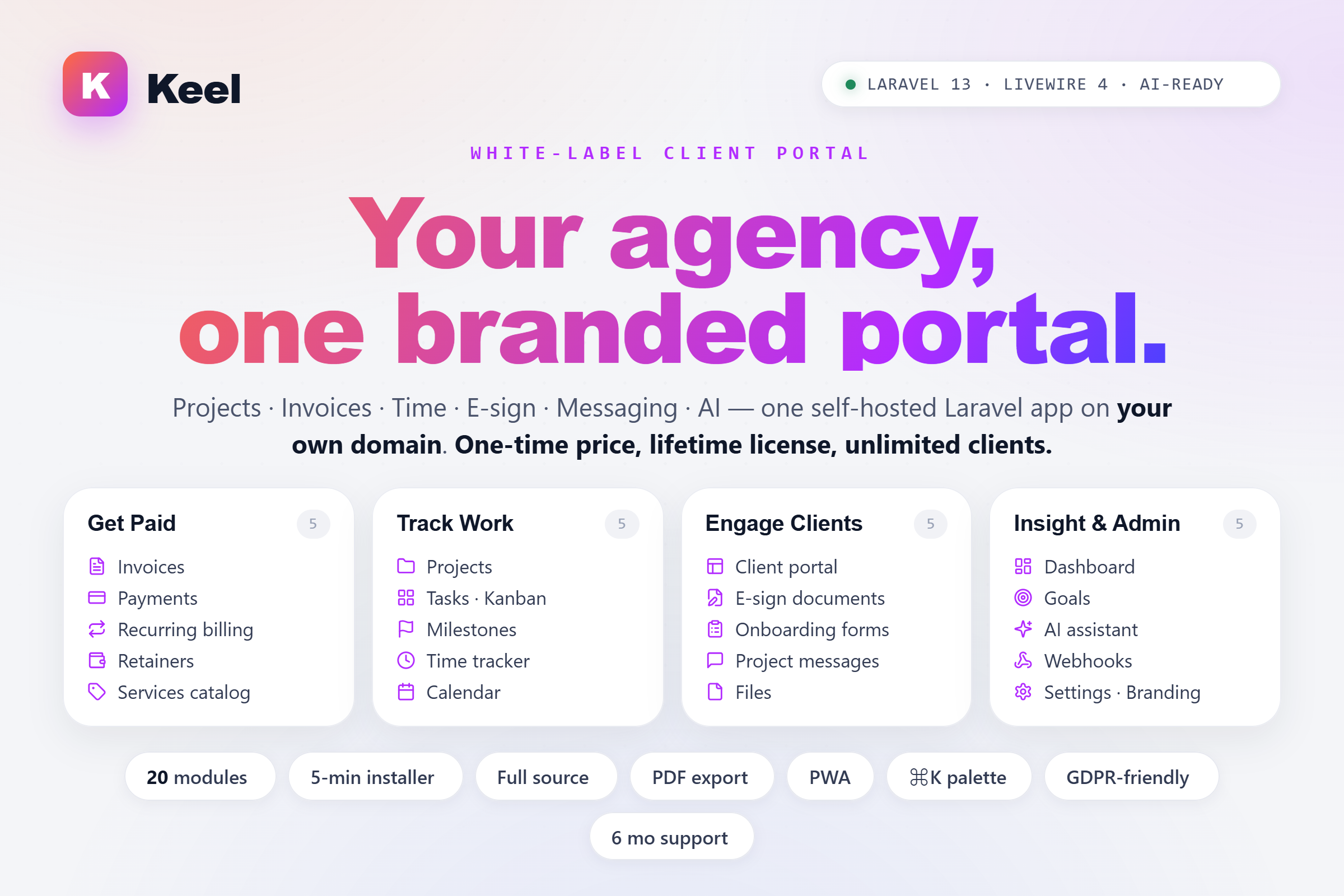
Yes. The minimum bar is PHP 8.4 and a MySQL/PostgreSQL/SQLite database. Out of the box Keel uses database queues, database cache and database sessions — no Redis worker required. Assets are pre-built. Hostinger, SiteGround, cPanel, Plesk, DigitalOcean, Laravel Forge — all confirmed working.
Is the license per-domain? Can I move it?
The license covers a single domain. To move to a new domain, deactivate from Settings → License on the old install, then reactivate on the new one — no new purchase needed. The license re-verifies weekly with AppTrovo in the background, but works gracefully offline if the API is unreachable.
How long does install take?
Five minutes. The web installer walks you through requirements → license → database → admin user → finish. You don't need SSH or composer — everything is pre-built. Cron setup takes another minute.
Can clients log in to see their own projects?
Yes — the client role is preconfigured with view-only access to their own projects, invoices, files and message threads. You can also disable the client portal entirely and use Keel as an internal-only tool.
Is there SSO / OAuth login?
Out of the box: Google, GitHub, Facebook and LinkedIn (OIDC) via Laravel Socialite. Toggle each provider on/off from Settings → Social login; client IDs and secrets live in .env. New users created through SSO are auto-linked to a matching email if one already exists.
Passwordless magic-link sign-in is also bundled — used for team invites by default, and admins can issue a one-time link to any user from /team.
Enterprise SAML 2.0 and provider-agnostic OIDC (Okta, Azure AD, Google Workspace) aren't in the default install. Adding either is a Socialite-provider package away, and full source ships so any Laravel developer can wire one in.
Can I customise the colours, logo and branding?
All from the Settings → Branding admin panel: company name, logo (light + dark), favicon, primary colour, email header, login background. No code changes required.
Which AI provider does it use?
OpenAI or Anthropic (Claude) out of the box, picked from the admin Settings page. Powered by Prism PHP, so other providers (Google Gemini, Mistral, Ollama, etc.) are a short config change away. Bring your own API key. Your data never trains anyone's model.
What about multi-language support?
Keel uses Laravel's built-in localisation system. English ships in the box. Add more languages by dropping translation files into resources/lang/. Locale is set globally via the APP_LOCALE env value; per-user preference is on the roadmap.
Can I extend it myself?
Absolutely. Full source code ships with every purchase. Standard Laravel 13 + Livewire 4 conventions — any Laravel developer can add modules, modify views, wire in custom integrations. Keep customisations in new files so upgrades stay trivial.
What's the refund policy?
Follow AppTrovo's standard refund policy. If the license fails to verify, or if a feature documented in this listing doesn't work as described, we'll make it right first.
Do I need a queue worker or Redis?
No. Queues, cache and sessions all use the database by default. A simple cron entry runs php artisan schedule:run every minute and dispatches any queued jobs. Redis is optional for high-traffic installations.
Does it work with Stripe? PayPal?
Keel is payment-processor-agnostic. Every invoice has a Pay URL field — drop in a Stripe Checkout link, a PayPal.me URL, Razorpay, a bank-transfer instructions page, anything you like — and it renders as a "Pay now" button on the sent invoice. Payments are recorded manually (per partial payment with amount, method and reference) so the audit trail is identical regardless of which gateway your client used. For deeper Stripe/PayPal automation, fire on the invoice.paid outbound webhook or add a controller on top.




Comments (0)
Sign in to leave a comment
Log in →No comments yet. Be the first to comment!