

A leave management system replaces email requests and spreadsheet balances with one place where employees request time off, managers approve it, balances update automatically and approved absences flow into payroll. Paired with attendance tracking (clock-in, timesheets or shifts), it answers the three questions every small business asks weekly: who is off, who is late, and how many hours should we pay? This guide is part of our series on self-hosted HR and payroll software for small businesses.
The software is the easy part. What makes leave and attendance work is a clear written policy, an accrual method that matches it, an approval workflow that does not stall when a manager is away, and an attendance method your team will actually use. We cover each in order, with worked examples you can adapt.
Minimum leave entitlements, sick pay rules and working-time records are set by law and differ by country and state. Treat this guide as general information and confirm your obligations with an employment lawyer or HR advisor where you operate.
Step 1: Write a time off policy before configuring any software
Every rule you leave unwritten becomes a support question later. A good time off policy is one or two pages and answers these points for each leave type:
- Who is eligible, and from when (first day, after probation, after a set period)
- How much leave is granted and how it is earned (all at once or accrued)
- Whether it is paid, partly paid or unpaid
- How much notice is required and who approves
- Whether unused leave carries over, and up to what limit
- What evidence is required, for example a doctor’s note after a number of sick days
- What happens to unused leave when someone leaves the company
Check legal minimums first. In the UK, for example, most workers are entitled to 5.6 weeks of paid holiday a year, as explained in the government’s guide to holiday entitlement. In the United States there is no federal minimum for paid vacation, but the Family and Medical Leave Act gives eligible employees of covered employers (generally private employers with 50 or more employees) unpaid, job-protected leave for specific family and medical reasons, and many states add their own paid leave rules.
Which leave types do you need?
| Leave type | Typical approach | Configuration tip |
|---|---|---|
| Annual leave / vacation | Fixed allowance per year, accrued monthly or granted up front | Set a carry-over cap to avoid large liabilities at year end |
| Sick leave | Separate allowance or accrued per hours worked, often required by law | Allow same-day requests; require evidence only after a threshold |
| Public holidays | Company holiday calendar per country or office | Exclude them from leave day counts automatically |
| Parental leave | Statutory rules plus any company top-up | Track separately; it often affects payroll differently |
| Bereavement and compassionate leave | A few days per event | Allow manager discretion, avoid strict caps in the software |
| Unpaid leave | By agreement | Must reduce pay in the next payroll run |
| Time off in lieu (comp time) | Earned by extra hours | Link to attendance so hours are verified before credit is granted |
Start with the types you actually use. Five well-defined leave types are easier to manage than twelve that nobody understands.
Step 2: Choose an accrual method (with worked examples)
Accrual is how employees earn leave over time. There are three common methods.
Up-front allowance
The full year’s leave is granted on the first day of the leave year. It is simple and popular with small teams. The downside: someone can take most of their allowance early and then leave, so your policy should say how overused leave is handled at exit.
Monthly accrual
Example (illustrative): an employee entitled to 18 days a year accrues 18 ÷ 12 = 1.5 days per month. After four months they have 6 days available. A new hire who starts on the first of April in a January-to-December leave year accrues for nine months: 9 × 1.5 = 13.5 days in their first year.
Accrual per hours worked
Common for part-time and hourly staff and used by some sick leave laws. Example (illustrative): with a rule of 1 hour of leave per 30 hours worked, a part-timer who works 24 hours a week for 10 weeks (240 hours) accrues 240 ÷ 30 = 8 hours of leave. This method needs reliable attendance data, which is why leave and attendance belong in the same system.
Carry-over and caps
Example (illustrative): the policy allows up to 5 unused days to carry into the next year, with the rest forfeited where the law allows. An employee ends the year with 7.5 days unused: 5 days carry over, 2.5 are lost. Some jurisdictions restrict forfeiting leave, so check local rules before setting a cap.
Day counting
Leave requests should count working days, not calendar days. A request from Thursday to the following Tuesday spans six calendar days, but if the employee works Monday to Friday and Monday is a public holiday, it uses only three leave days (Thursday, Friday and Tuesday). Make sure your system counts weekends and holidays correctly for each employee’s work pattern, including part-timers who do not work every weekday.
Step 3: Design a leave approval workflow that does not stall
A leave approval workflow should be fast for routine requests and careful for unusual ones. A practical design for most small businesses:
- Employee submits the request, sees the remaining balance and any team members already off on those dates.
- Line manager approves or declines with a comment. The system notifies the employee by email or in-app.
- Escalation for exceptions: requests longer than a set number of days, or that would take the balance negative, go to a second approver such as HR or the owner.
- Delegation: when a manager is on leave, approvals route to a named deputy automatically.
- Reminders: unanswered requests trigger a reminder after one or two working days.
- Calendar update: approved leave appears on a team calendar, ideally one people can subscribe to from their own calendar app.
Decide in advance how cancellations work. An employee cancelling approved leave should restore their balance automatically, and a manager should not be able to cancel approved leave without notifying the employee.
Step 4: Pick an attendance tracking method
Attendance tracking software ranges from simple timesheets to hardware kiosks. Choose based on how and where your team works.
| Method | Best for | Strengths | Weaknesses |
|---|---|---|---|
| Weekly timesheets | Office and project-based teams | Simple; can record hours per project | Filled in from memory, often late |
| Web clock-in and clock-out | Office, hybrid and retail staff | Real-time presence; late arrivals detected automatically | Needs a device at the start of each shift |
| Mobile or installable web app | Field and remote staff | Works wherever the employee is; some apps queue clock-ins offline | Relies on employees’ own phones |
| Shared kiosk or tablet | Shops, warehouses, kitchens | One device for a whole site | Buddy-punching unless combined with a PIN or photo |
| Biometric devices | Large sites with shift workers | Hard to fake | Hardware cost; biometric data is strictly regulated in some places |
Whatever method you choose, define the rules in the software: shift start times, a grace period before an arrival counts as late, how breaks are recorded, and when overtime starts. Keep the records as long as the law requires; in the US, the Department of Labor’s FLSA recordkeeping guidance says time cards and similar records used to compute wages must be kept for at least two years.
Step 5: Connect leave and attendance to payroll
Leave and attendance data matters most at payroll time. Before each pay run, the system should provide:
- Approved unpaid leave days per employee, to reduce pay
- Approved overtime hours, with the rate that applies
- Paid leave taken, if your payroll shows it on payslips
- Late arrivals or absences that your policy treats as unpaid
Lock leave and timesheets for the period before payroll is calculated, so nothing changes after numbers are approved. Our payroll software features checklist covers what the payroll side needs to do with these inputs.
Reports that help you manage absence
- Leave balances and liability: how many unused days the business owes, by team.
- Who is off this week and next: a simple calendar view that prevents scheduling surprises.
- Absence patterns: repeated short absences or frequent Monday sickness are worth a supportive conversation, not automatic discipline.
- Lateness and overtime trends: rising overtime in one team often signals understaffing.
A rollout plan for a 15-person team
For example, a 15-person business moving from email and spreadsheets could roll out like this:
- Week 1: finalize the written policy and the holiday calendar; collect current leave balances from the spreadsheet.
- Week 2: configure leave types, accrual rules, approvers and deputies; import balances; have two people check each imported balance.
- Week 3: run a pilot with one team, including at least one full request, approval and cancellation cycle.
- Week 4: roll out to everyone with a 15-minute walkthrough; switch off the old leave spreadsheet so there is only one source of truth.
- Next pay run: check every leave and overtime figure that reaches payroll by hand once, then rely on the system.
Self-hosted options on AppTrovo
Arbor - The Complete HR + Payroll Suite handles both sides of this guide in one application. Its leave module includes weekend-aware day counting, manager approval, a monthly accrual engine, carry-over rules and a holiday calendar. Its time and attendance module covers clock-in and clock-out with late detection, per-project timesheets, a shift scheduler and a team calendar with an iCal feed. It can be installed on a phone’s home screen as a web app with an offline clock-in queue, so staff without a desk can still clock in when the signal drops. Leave and payroll events trigger in-app and email notifications, and the payroll engine runs in the same application, so leave and attendance data does not have to be exported to another tool.

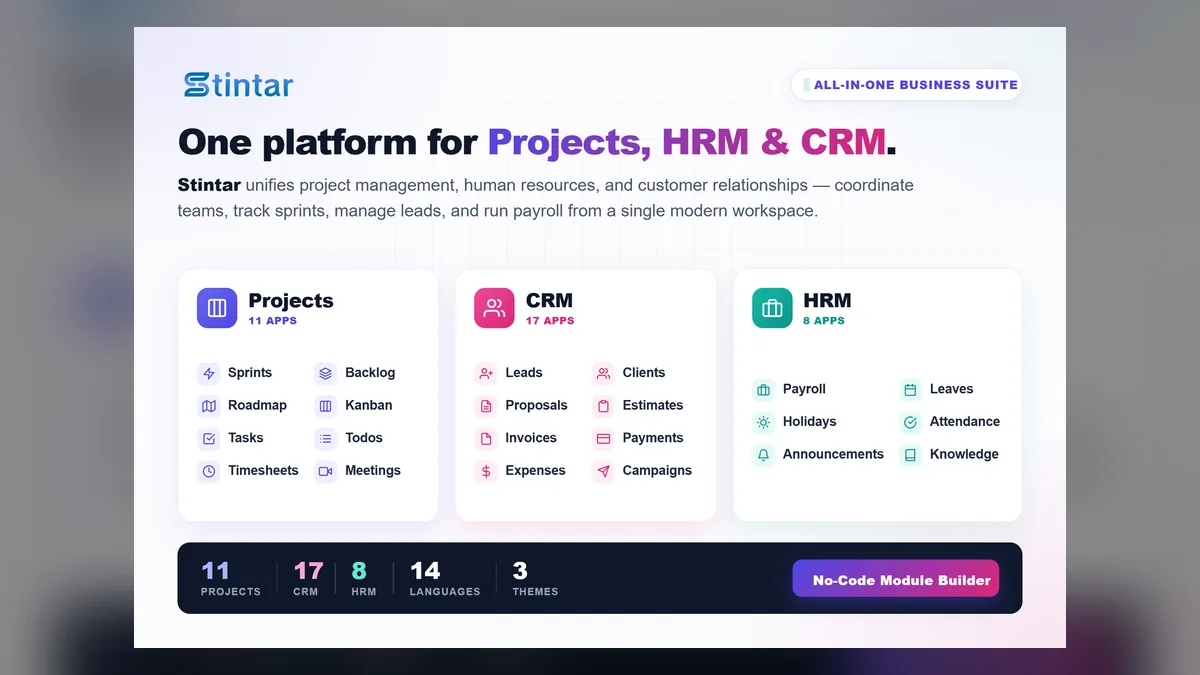
If your team is project-based and you also want project and client management, Stintar - Project Management with HRM and CRM combines projects and CRM with an HRM module that covers leave management, holidays, timesheets with a daily work email, payroll, teams and roles with flexible permissions. Our guide to all-in-one CRM and project management explains when one combined system beats separate tools, and the complete tour of Stintar shows the HRM screens. Both products are one-time licenses with full source code, so you can adapt leave types and accrual rules to your own policy.
Frequently asked questions
What is a leave management system?
It is software where employees request time off, managers approve it and balances update automatically. Good systems also handle accruals, carry-over, public holidays and a team calendar, and send approved leave to payroll.
How is leave accrual calculated?
The most common methods are an up-front annual grant, monthly accrual (for example 18 days a year accrues 1.5 days a month) and accrual per hours worked (for example 1 hour per 30 hours worked). Your policy and local law decide which applies.
What is the best way to track employee attendance?
It depends on where people work. Web clock-in suits offices and shops, mobile apps suit field and remote staff, and per-project timesheets suit teams that bill hours to clients. The best method is the one your team uses consistently.
Should leave and attendance be in the same system as payroll?
It is not required, but it removes manual re-entry. When approved unpaid leave and overtime flow directly into the pay run, payroll errors drop and month-end is faster.
How long should attendance records be kept?
Retention periods are set by law and vary by country. In the US, federal rules require time cards used to compute wages to be kept for at least two years and payroll records for at least three; check the rules where you operate.