

The payroll software features a small business really needs fall into seven groups: accurate employee and pay data, flexible earnings and deductions, a controlled pay-run workflow with review and approval, clear payslips with employee self-service, the reports your accountant and tax authority expect, strong security with an audit trail, and links to attendance, leave and accounting. If a tool handles those well, almost everything else is a bonus. This checklist sits within our wider guide to self-hosted HR and payroll software for small businesses, which covers whether to rent a SaaS tool or run your own.
Use the checklist in two ways. First, to write down your payroll system requirements before you look at any product, so demos do not set the agenda. Second, as a scoring sheet: mark each item as must-have, nice-to-have or not needed, then score each candidate against it.
Payroll tax, social security, pension and reporting rules differ by country, state and sometimes city, and they change every year. This article gives general information only. Confirm your obligations with a qualified accountant or payroll advisor in your country before you rely on any software’s calculations.
What should payroll software do at a minimum?
At the minimum, payroll software should calculate gross pay, apply deductions and taxes, produce net pay and a payslip for each employee, record the payment, and keep a history you can report from. In the United States, the IRS overview of employment taxes shows the moving parts an employer is responsible for: withholding income tax, Social Security and Medicare, unemployment tax, and depositing and reporting each of them. Other countries have equivalents. Your software does not have to file everything itself, but it must produce numbers you can trust and export.
The payroll software features checklist
The table below is the core checklist. The “Question to ask” column turns each feature into something you can verify in a demo or trial.
| Feature | Why it matters | Question to ask | Priority for most small businesses |
|---|---|---|---|
| Employee pay profiles | Salary or hourly rate, pay frequency, bank details, tax identifiers and start dates all drive the calculation | Can I import existing employees from a spreadsheet? | Must-have |
| Configurable earnings | Overtime, bonuses, commissions, allowances and reimbursements are paid differently | Can I add a new earning type without a developer? | Must-have |
| Configurable deductions | Pension, insurance, loans, advances and garnishments vary per employee | Can a deduction be pre-tax or post-tax, fixed or a percentage? | Must-have |
| Tax rules and brackets | Progressive income tax and contribution rates change yearly | Who updates the rates, and can I see the formula used? | Must-have |
| Pay-run workflow | Draft, review, approve and lock prevents mistakes reaching bank accounts | Can a run be reviewed and corrected before it is finalized? | Must-have |
| Payslips | Employees need a clear breakdown; many countries require one | Are payslips generated as PDFs and available to employees? | Must-have |
| Payment recording | You need to know what was paid, when and how | Can I mark a run as paid and see payment status per employee? | Must-have |
| Payroll reports | Tax filings, accounting entries and year-end summaries come from here | Can I export a payroll register and summaries to CSV? | Must-have |
| Audit trail | Shows who changed a salary or approved a run | Is every change logged with user and time? | Must-have |
| Role-based access | Salary data should be visible only to the right people | Can managers see their team’s leave but not their pay? | Must-have |
| Attendance and leave link | Unpaid leave, overtime and absences change pay | Does approved leave flow into the pay run automatically? | Strongly recommended |
| Anomaly checks | Catches a missing zero or a duplicated bonus before payday | Does the system flag unusual changes from the previous run? | Strongly recommended |
| Benefits administration | Enrollment and deduction tracking for health, pension or insurance plans | Are benefit deductions calculated from enrollment data? | Depends on benefits offered |
| Contractor payments | Contractors are paid and reported differently from employees | Can I keep contractors separate from employee payroll? | Depends on workforce |
| Multi-company or multi-entity | Separate legal entities need separate payrolls | Are employees and runs scoped per company? | Depends on structure |
| Accounting export | Payroll journal entries feed your books | What format does the export use, and does my accountant accept it? | Strongly recommended |
| Multi-language and currency | Teams across borders or with mixed languages | Are payslips and emails shown in each employee’s language? | Nice-to-have |
Employee and pay data: getting the foundation right
Most payroll errors start with bad master data, not bad math. Check that the system stores, per employee:
- Legal name, address and tax identifiers required in your country
- Employment type (full-time, part-time, hourly, salaried) and start and end dates
- Pay rate history with effective dates, so a raise in the middle of a month is handled correctly
- Bank details, stored securely and visible only to authorized users
- Department and cost center, so you can report labor cost by team
Correct classification matters too. Treating a worker as a contractor when the law sees them as an employee can create back taxes and penalties. The IRS guidance on independent contractor versus employee is a useful starting point in the US; other countries apply their own tests.
Earnings, deductions and taxes: what flexibility to look for
Small businesses often have more pay variety than they expect: a sales bonus here, a travel allowance there, a salary advance being repaid over six months. Good payroll software lets you define each component once and reuse it.
Worked example (illustrative numbers, not tax advice): a 15-person company pays one employee a monthly salary of 4,000 plus a 300 sales bonus. She contributes 5% of gross pay to a pre-tax pension plan and repays a 1,200 salary advance at 200 per month. The software should calculate:
- Gross pay: 4,000 + 300 = 4,300
- Pre-tax pension deduction: 5% of 4,300 = 215
- Taxable pay: 4,300 − 215 = 4,085 (in this simplified example)
- Income tax and contributions on the taxable amount, using your country’s current rates
- Post-tax deduction for the advance: 200, with the remaining balance tracked (1,000 after this run)
- Net pay: taxable pay minus taxes and contributions minus the advance repayment
In a demo, ask the vendor to enter exactly this kind of scenario using your real components. If they cannot show the order of operations (which deductions come before tax, which after), treat it as a warning sign.
What does a good pay-run workflow look like?
A pay run should move through clear states so nothing is paid by accident:
- Prepare: pull in salaries, approved overtime, unpaid leave and one-off items for the period.
- Calculate: generate a draft with gross-to-net for every employee.
- Review: compare with the previous run. A good system highlights large variances, zero or negative net pay, unusually high tax and sudden bonus spikes.
- Approve: a second person signs off, ideally someone other than the preparer.
- Pay and record: send payments through your bank and mark the run as paid.
- Lock and distribute: freeze the run, publish payslips and keep it for reporting.
Ask how corrections work after a run is locked. You want an adjustment in the next run or an off-cycle run, not editing history.
Payslips, self-service and notifications
Employees asking “where is my payslip?” is the most common payroll support request. Look for:
- PDF payslips with earnings, deductions, taxes, employer contributions where required, and year-to-date totals
- An employee portal or app where staff can see past payslips and update personal details
- Notifications when a payslip is ready, in the employee’s own language if your team is multilingual
Reporting, record keeping and the accountant handoff
Even if your accountant files payroll taxes, the software must give them clean inputs: a payroll register per run, totals by tax and deduction type, year-to-date summaries per employee and an export they can import. Record-keeping periods are set by law. In the US, the Department of Labor’s FLSA recordkeeping fact sheet says payroll records must be kept for at least three years, and the IRS publishes employer guidance in Publication 15. Make sure the software can keep and retrieve records for as long as you need them, including for employees who have left.
Security, privacy and audit trail
Payroll holds the most sensitive data in your business. On the checklist:
- Role-based permissions down to who can view, edit and approve pay
- Two-factor authentication or single sign-on for admin users
- A full audit log of changes to pay data and approvals
- Data export and deletion tools to handle privacy requests
- Encrypted backups that you have actually restored at least once
If you self-host, these become your responsibility; our security and backup checklist for self-hosted apps covers the essentials.
Integrations: attendance, leave and accounting
Payroll is only as good as its inputs. If overtime lives in one spreadsheet and unpaid leave in another inbox, someone retypes it every month. Prefer a system where approved timesheets and leave flow directly into the pay run. Our guide to leave and attendance management explains how to set up those inputs so payroll can trust them.
Which features matter at which size?
| Team size | Focus on | Can usually wait |
|---|---|---|
| 1–10 employees | Accurate gross-to-net, payslips, simple reports, accountant export | Benefits enrollment, multi-company, advanced approvals |
| 10–50 employees | Two-step approval, leave and attendance link, anomaly checks, role-based access | Multi-entity consolidation |
| 50+ employees or several entities | Multi-company payroll, benefits administration, audit exports, single sign-on | Very little; process controls matter most now |
How to test payroll software before switching
Never switch payroll on a demo alone. Run a parallel payroll: process one or two real periods in the new system while still paying through your current method, then compare every employee’s gross, deductions, taxes and net. Investigate every difference, even small ones. Switch at a natural boundary such as the start of a quarter or tax year if your accountant recommends it, and keep read-only access to the old records.
Also compare cost over several years, not just the first invoice. Per-employee subscriptions grow with headcount; our SaaS versus self-hosted cost breakdown shows how to model it.
Self-hosted options on AppTrovo
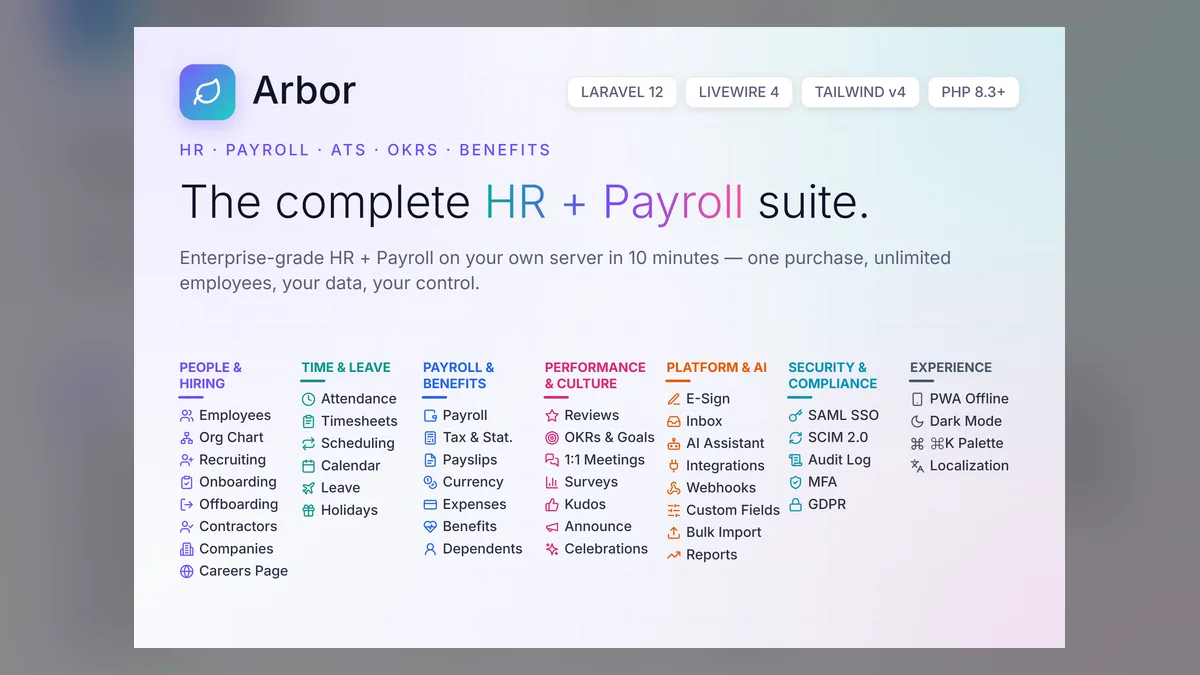
Arbor - The Complete HR + Payroll Suite covers much of this checklist in a single self-hosted Laravel application. Its payroll engine handles monthly runs with progressive tax, provident fund and insurance deductions, PDF payslips, anomaly detection and a mark-as-paid workflow. With your own AI provider key connected, it flags payroll anomalies such as a variance of more than 20% from the previous run, high tax, zero or negative net pay and bonus spikes. Around payroll it adds benefits administration with pre-tax deduction tracking, contractor profiles, multi-company support with employees and payroll runs scoped per company, attendance and leave modules, GDPR and DPDP export and deletion tools, and six built-in languages.

As with every product on AppTrovo, Arbor is a one-time license with full source code, so you can configure tax rules and pay components for your country or have a developer adapt them. That flexibility also means you own the configuration: review it with your accountant before the first live run. For a walk through every module, read the complete tour of Arbor, or browse the HR and payroll category.
Frequently asked questions
What are the most important payroll software features?
Accurate gross-to-net calculation with configurable earnings, deductions and tax rules, a pay-run workflow with review and approval, payslips, exportable reports and an audit trail. Without these, the rest of the feature list does not matter.
Does payroll software file taxes for me?
Some services do, many do not. Self-hosted tools usually calculate and report, while filing and payments happen through your accountant or tax authority portal. Ask each vendor exactly which filings are included in your country.
How do I know if payroll software calculates correctly?
Run a parallel payroll for one or two periods and compare every employee’s results with your current method. Ask your accountant to review the tax configuration before the first live run.
Can small businesses use self-hosted payroll software?
Yes, if someone can install, update and back it up, and if the tax rules can be configured for your country. It suits businesses that want to avoid per-employee fees and keep payroll data on their own server.
Should payroll software include attendance and leave?
It does not have to, but it helps. When approved leave, overtime and absences flow into the pay run automatically, you remove the most common source of manual errors.