

Product Updates and New Versions
Authors keep improving their products with bug fixes, new features and compatibility updates. When you own a product, every approved new version is yours to download at no extra cost.
How a new version is released
- The author uploads a new version with a version number and a changelog.
- An AppTrovo reviewer checks the new version before it goes live. Until it is approved, the previous version stays current and remains available to you.
- Once approved, the new version becomes the product's current version. The main download on your Downloads page now delivers the new files, and owners are notified.
How you find out about updates
- Notifications — when a version is approved, buyers of the product receive an "Update Available" email and an in-app notification under the bell. Release-note announcements also follow the Product Updates setting on Notification Preferences.
- My Downloads — each product shows its current version and an Updated date. A red Critical Update badge marks urgent releases, such as security fixes.
- Product download page — click View Files to see a Latest Update box with the version number, title, release notes and release date.
- Download History — an Update Available badge appears next to any file you downloaded that now has a newer version.
- Product page — the Version History (Change log) tab lists the release notes for each version. Click RSS on that tab to follow the changelog in a feed reader.
Download the latest version
In your account, open Downloads (/account/downloads) and click Download next to the product. You always get the current approved version of the main files. Click View Files to download documentation or extras that may have changed as well.
Before you upgrade a live installation, read the changelog, back up your files and database, and follow any upgrade steps in the product's documentation.
Browse and download any released version
Every purchased product has its own version history in your account:
- Open Purchases (/account/purchases) and click the order that contains the product.
- Click Versions next to the product.
- The Version History page shows the Current Version at the top. Below it, All Versions lists each version with its release date, file size and a Changelog link you can expand.
- Click Download next to the version you want.
Badges on the list mean:
- Current — the version currently delivered from your Downloads page.
- In Review — a new version waiting for approval. It cannot be downloaded yet and shows Pending instead of a Download button. A blue notice at the top of the page also tells you a new version is awaiting approval.
- Critical — the author flagged the release as urgent.
Older versions are useful if you need to match an existing installation or roll back. AppTrovo keeps the five most recent versions of each product; older archives are removed, so download any version you want to keep.
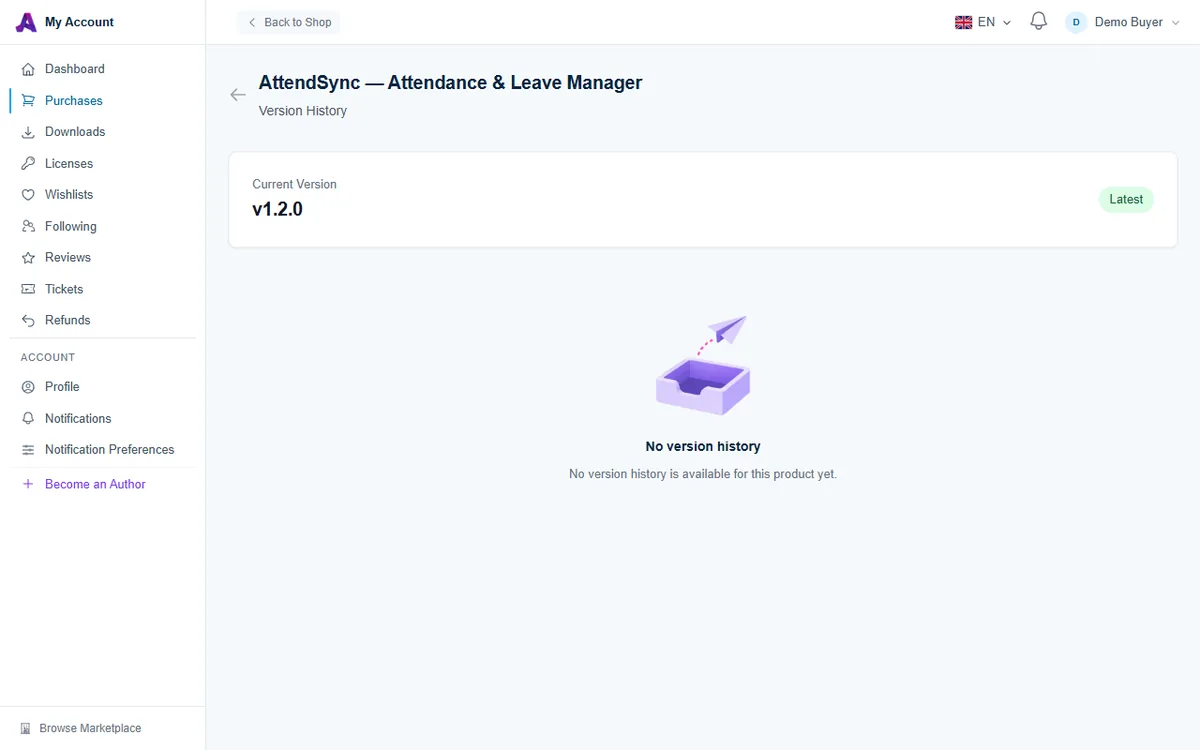
If the page says No version history, the author has not released an upgrade through the version system yet. Download the current files from Downloads instead.
Updates and your support period
Updates and author support are separate:
- Updates are included with your license for as long as you own it. New versions are not tied to your support period, so you can keep downloading them after support ends.
- Author support, meaning help from the author through support tickets, lasts for the period included with your edition plus any months you added. After it ends, you can buy more time from the order page with Extend Support. See Extending Product Support.
If you own a free Community edition that has its own build, the author updates that build separately on the product's files. Community editions do not include author support.
Frequently asked questions
I got an update email but my download is still the old version
Reload the Downloads page and check the version badge on the product. If it still shows the old number, open Versions from the order to confirm which version is current, then contact the author through a support ticket.
Why can't I download the version marked In Review?
New versions are only released to buyers after an AppTrovo reviewer approves them. Keep using the current version; you will be notified when the new one is approved.
Do I have to pay for a major new version?
No. Every approved version of a product you own is included with your license.
Related articles
Was this article helpful?