

Opening a Dispute
If an author rejects your refund request and you believe the decision is wrong, you can open a dispute. A dispute gives you and the author a shared message thread, and if you can't reach an agreement, AppTrovo staff review the case and make the final call.
When you can open a dispute
- You can only dispute a refund request whose status is Rejected. If your request is still Pending, wait for a decision. See Requesting a Refund for how requests are decided.
- Each refund request can have one dispute. If one already exists, AppTrovo takes you to it instead of opening a second one.
- Disputes are for refund decisions. For installation problems or bugs, a support ticket is usually faster. To report a product that breaks the rules, see Reporting a Product or Abuse.
Open a dispute
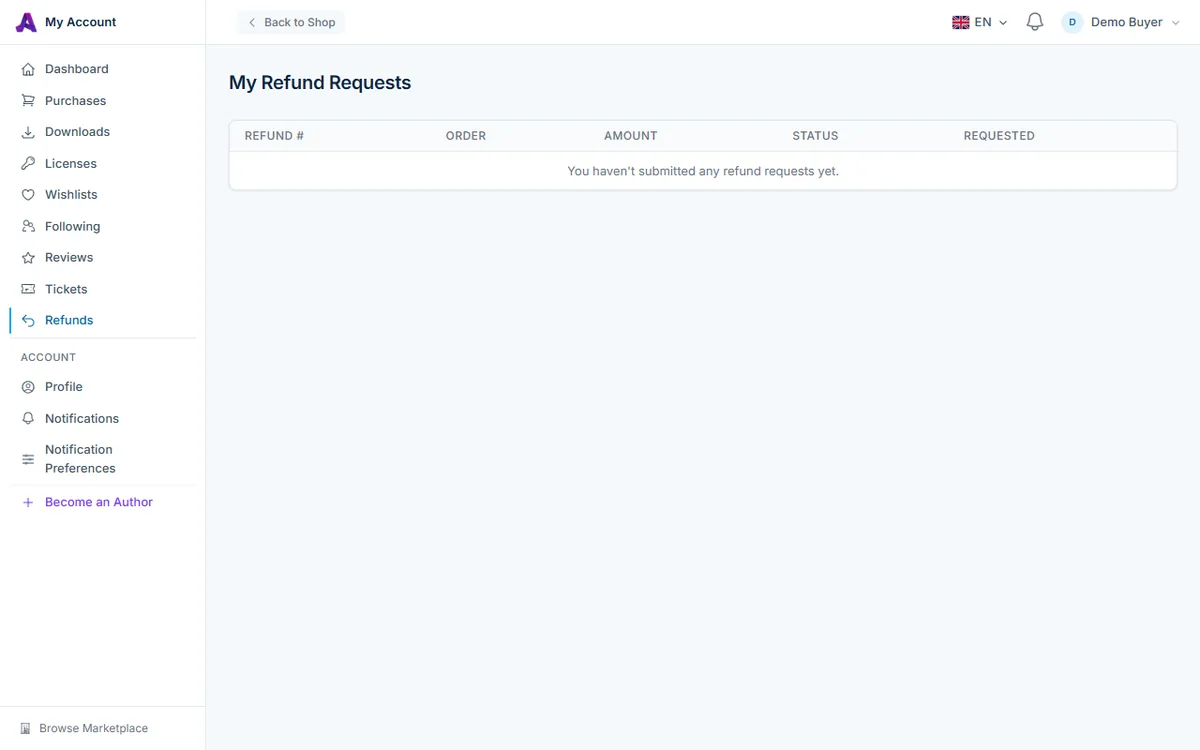
- In your account, open Refunds in the left sidebar (/account/refunds).
- Click the number of the refund marked Rejected. Read the author's explanation under Author's response first; it may answer your concern.
- At the bottom of the page, in the box headed Not satisfied with this decision?, fill in Explain why you disagree with the decision. Write at least 20 characters (up to 2,000).
- Click Open Dispute and confirm.
The dispute page opens and the author is notified. The author has 3 days to respond. If they haven't replied by then, the dispute is escalated to AppTrovo automatically.
What to include
- What you expected from the product listing and what you actually got.
- Steps you took to fix the problem, and any support ticket numbers.
- Exact error messages, versions and your server environment, where relevant.
Keep it factual. The mediator reads the whole thread, including the author's replies.
The dispute page
The page shows Dispute Details: links to the Refund Request and Order, the Seller, when it was Opened and, as the case progresses, when it was Escalated or Resolved and the name of the Mediator. Below that is the Messages thread. Replies from the author are tagged Seller and replies from AppTrovo staff are tagged Admin.
To add information, type in the Reply box (at least 5 characters) and click Send Message. You can reply until the dispute is resolved.
To find your disputes later, open Refunds: the Dispute column shows each dispute's number and status, and the refund page has a View Dispute button. You are notified when the author or a mediator replies, according to your Dispute Updates notification preference.
Dispute statuses
- Open — waiting for the author's first reply.
- Seller Responded — the author has replied in the thread.
- Escalated — AppTrovo staff are reviewing the case, either because you escalated it or because the author didn't respond in time.
- Resolved (Refunded) — the dispute was decided in your favor and the refund is issued.
- Resolved (Denied) — the original rejection stands.
Escalate to AppTrovo
While a dispute is Open or Seller Responded, a box headed Not satisfied with the seller's response? appears. Click Escalate and confirm to hand the case to AppTrovo's administrators for mediation. You don't have to wait the 3 days; escalate whenever the conversation has stopped making progress. Once escalated, keep an eye on the thread in case the mediator asks for more information.
How disputes are resolved
A mediator reviews the listing, the refund request and the full message thread, then decides one of two ways:
- In your favor — the refund is approved and returned through Stripe to your original payment method, and the license for the refunded product is deactivated, exactly as with any other refund.
- In the author's favor — the rejection is upheld and no refund is issued.
Some clear-cut cases are settled automatically, for example when the product has since been removed from AppTrovo. Either way, you and the author are both notified with a link to the dispute page, and any note from the mediator appears under Resolution on the dispute page. A resolved dispute is final and cannot be reopened.
Frequently asked questions
I don't see the dispute form on my refund
The form appears only on refunds with the Rejected status. Pending, approved and processed refunds can't be disputed. If a dispute is already open, the form is replaced by its status and a View Dispute link.
How long does a dispute take?
The author has 3 days to reply before the case is escalated automatically. After escalation, the time to a decision depends on the case; reply promptly if the mediator asks you a question.
Can I withdraw a dispute?
There is no withdraw button. If the author fixes the problem and you no longer want a refund, say so in the thread so the outcome is on record.
Related articles
Was this article helpful?