

Handling Refunds and Disputes
Buyers can ask for a refund within the refund window, which is 30 days after purchase by default. As the product author you see every request, and you decide most of them. If you reject a request and the buyer disagrees, they can open a dispute that AppTrovo can step in to settle.
Refund requests
When a buyer requests a refund on one of your products, you are notified according to your notification preferences, and the request appears under Refunds in the Author Panel.
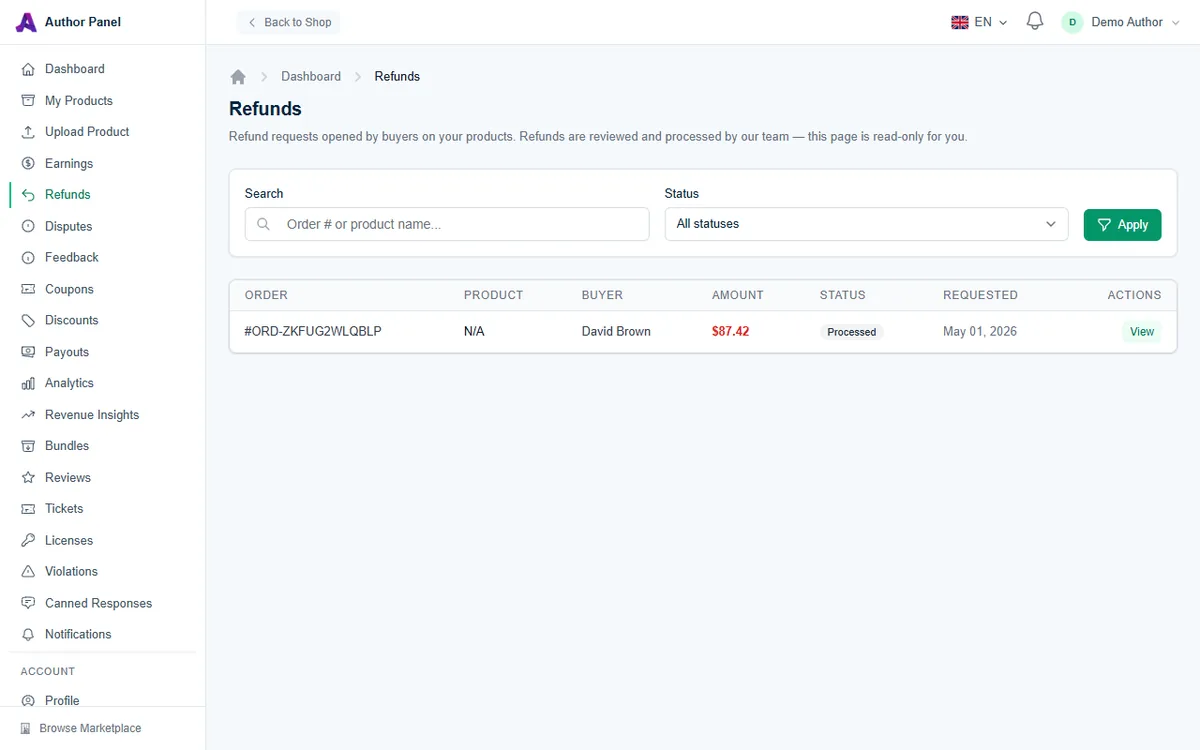
- Search by order number or product name, and filter by Status: Pending, Approved, Processed or Rejected.
- Click View to open a request. The page shows the order, refund amount, product, buyer, the buyer's reason and a timeline.
Approve or reject a request
For a Pending request on one of your products, the request page includes a Your Decision panel:
- Approve & Refund refunds the buyer through Stripe straight away and reverses your earning for that sale. You will be asked to confirm, and it can't be undone.
- Reject Refund keeps the sale. You must give a reason for the buyer of at least 10 characters (up to 2,000). The buyer is notified by email and in-app with your reason, so explain clearly, for example by pointing to a fix or offering support. The buyer can contest the decision by opening a dispute.
Act within 7 days. If you don't approve or reject a pending request within 7 days, it is approved automatically, unless it has been flagged for manual review, in which case the AppTrovo team reviews it.
Some requests can't be decided from your side. A refund for a whole order shows N/A in the Product column and is handled by the AppTrovo team. Requests that are no longer pending show This refund is no longer actionable from your side.
What a refund does to your earnings
When a refund is processed and the earning for that sale hasn't been paid to you yet, it is marked Reversed on your Earnings page. If it was already paid, it stays Paid and a negative refund entry is deducted from your next payout. For sales paid directly to your Stripe account, Stripe takes the amount back from your Stripe account. Stripe does not return its processing fee on refunds, so that fee is deducted from your next payout as a separate Refund processing fee entry. If you already absorbed the fee on the sale, you are not charged it again. For a partial refund you are charged the matching share of the fee. See Understanding Payouts.
Disputes
A dispute is opened when a buyer contests a rejected refund. Disputes appear under Disputes in the sidebar, and you are notified by email and in your notifications when one is opened.
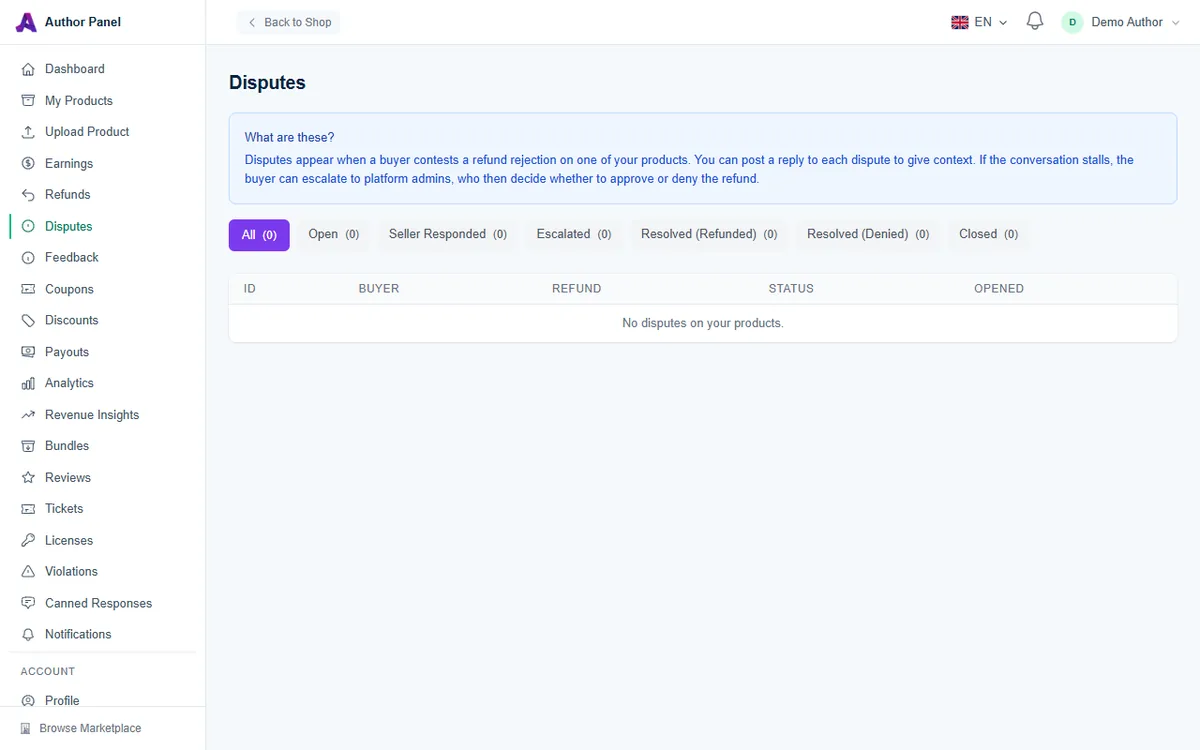
Filter disputes with the tabs at the top:
- Open: the buyer has opened the dispute and is waiting for you.
- Seller Responded: you have replied.
- Escalated: platform admins are now deciding the outcome.
- Resolved (Refunded) or Resolved (Denied): the final decision.
- Closed: the dispute is finished.
Respond to a dispute
- Open the dispute from the list. Dispute Details shows the refund request, order, refund amount, buyer, dates and any assigned mediator, followed by the Buyer Reason.
- Read the Messages thread. Messages from the buyer and from admins are labelled.
- Write your side under Reply (5 to 2,000 characters) and click Send Message.
Your first reply changes the status to Seller Responded, and the buyer is notified of each reply you send. Stick to facts: what the buyer bought, what you offered, any support history, and what you are willing to do now.
What happens next
- You can't escalate or close a dispute yourself. The buyer can escalate it if the conversation stalls.
- If a dispute stays Open with no reply from you for 3 days, it is escalated to platform admins automatically. Replying promptly gives you the chance to settle it directly.
- Once escalated, admins decide whether to approve or deny the refund.
- Some disputes are settled automatically with a refund, for example when the buyer never downloaded the product and the order is still inside its refund window, or when the product has been removed from the marketplace.
- When a dispute is resolved or closed, no more messages can be sent, and the outcome appears under Resolution.
Card chargebacks
A chargeback is different from a dispute on AppTrovo: the buyer asks their bank to reverse the card payment. While a chargeback is open, the order's earnings that haven't been paid to you yet are put on hold and stay Pending. If the chargeback is lost, it is handled like a refund: your earnings are reversed or clawed back from your next payout, the Stripe processing fee is deducted as with any refund, Stripe's dispute fee is deducted as a Chargeback fee entry, and the buyer's licenses are deactivated. If it is won, the hold is released.
Tips to avoid refunds and disputes
- Keep your description, requirements and screenshots accurate.
- Offer a live demo so buyers know what they're getting.
- Answer support tickets quickly. Many refund requests start as unanswered questions.
Related articles
Was this article helpful?