

Responding to Reviews
Reviews are one of the first things buyers read on a product page, and a thoughtful author reply can matter as much as the rating. This guide shows where to find reviews of your products and how to reply to them.
Where reviews come from
Reviews are written by verified buyers of your products. Some are published right away; others are held for moderation by the AppTrovo team before they appear on the product page. Products in the beta program don't take public reviews, and Community edition users send you feedback instead of reviews. See Product Feedback and Beta Testing.
You can be notified when a new review arrives. Choose how in your notification preferences.
Find your reviews
Open Reviews in the Author Panel sidebar.
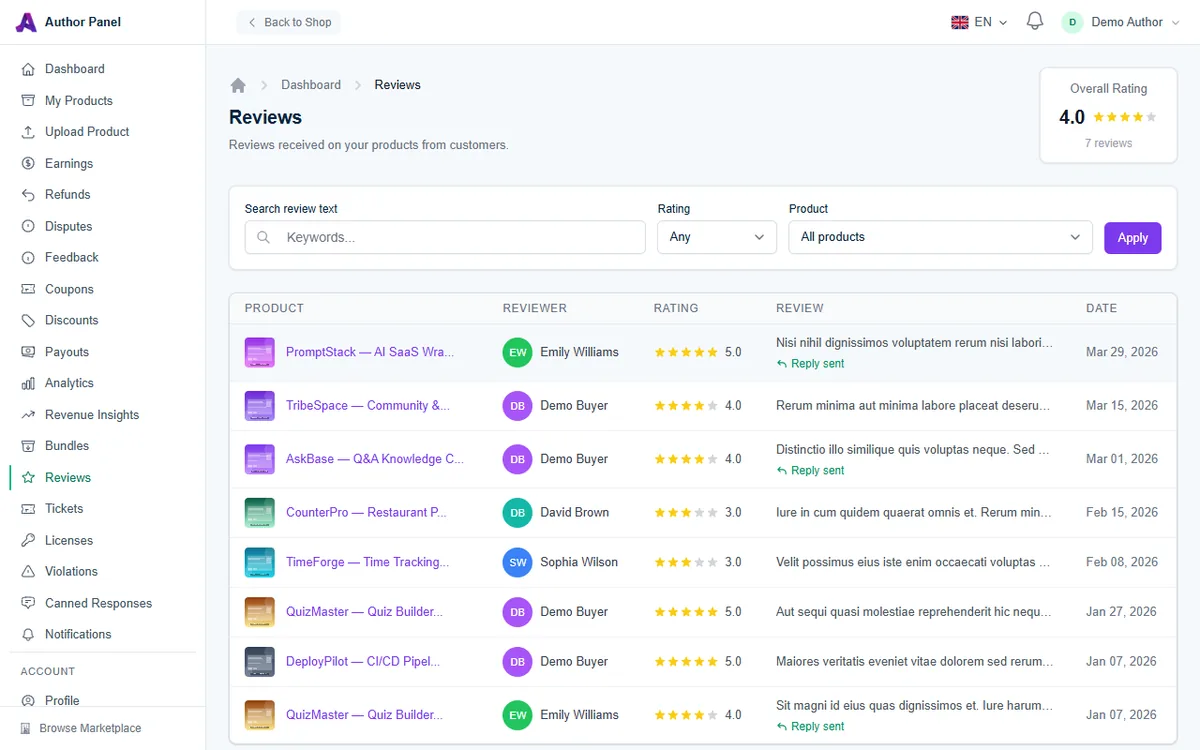
- Overall Rating (top right) shows your average star rating and the number of published reviews.
- Search review text finds keywords in review titles and text.
- Rating filters by star rating, and Product narrows the list to one product. Click Apply to filter.
- The table shows the product, reviewer, rating, an excerpt of the review and the date. Reviews you have answered show Reply sent under the excerpt.
The list also includes reviews still waiting for moderation, so it can show more rows than the review count in Overall Rating.
Reply to a review
- In the list, click the product name on the review's row to open Review Details.
- Read the full review. The side panels show the Product and the Rating Given.
- In the Your Reply section, write your response (up to 2,000 characters).
- Click Submit Reply.
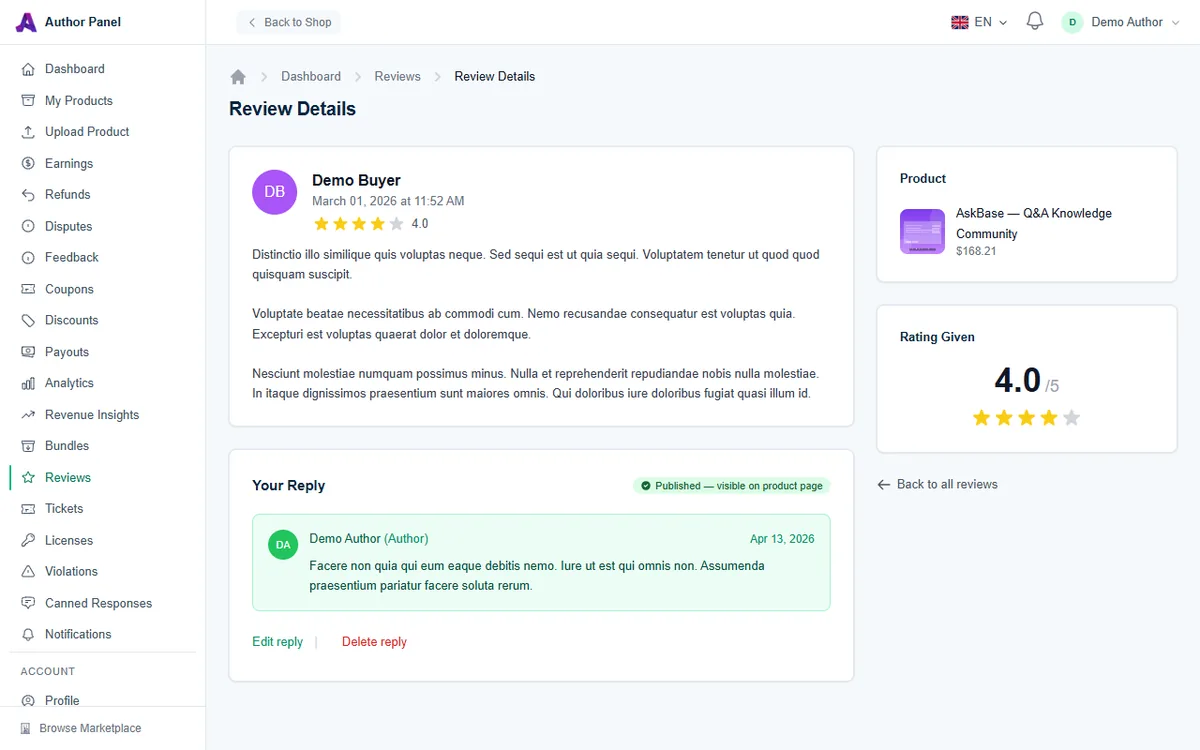
Your reply is public. It appears under the buyer's review on the product page with an Author badge, once the review itself is published. Each review can have one author reply.
Edit or delete your reply
- Click Edit reply, change the text and click Update Reply. The new text replaces the old one.
- Click Delete reply and confirm to remove it. This can't be undone, but you can write a new reply afterwards.
Writing a good reply
- Thank the reviewer. Short and sincere works best, for positive and negative reviews alike.
- Address the specific point. If they hit a bug, say whether it's fixed and in which version.
- Move troubleshooting to a ticket. Invite the buyer to open a support ticket instead of debugging in public. See Answering Buyer Support Tickets.
- Stay calm and factual. Future buyers judge you by how you handle criticism. Never share a buyer's personal details or argue about the rating.
- Follow up with a release. If several reviews mention the same problem, fix it and mention the update in your replies.
Frequently asked questions
Can I remove or edit a buyer's review?
No. Only the AppTrovo team moderates reviews. If a review contains abuse, personal data or content unrelated to the product, contact AppTrovo support with a link to the review. You can open a ticket with New Ticket on the Tickets page.
Why doesn't my reply show on the product page yet?
Replies appear only under published reviews. If the review is still waiting for moderation, your reply will show once the review is approved.
Where can I see my average rating per product?
The Top Products table on the Analytics page shows a rating for each product. See Reading Analytics and Revenue Insights.
Related articles
Was this article helpful?